The simple POS — run your whole business from one screen.
RahimTech is the simple, fast point-of-sale for small and growing businesses — sell in seconds, control stock, track customer credit and see today’s profit. On your computer, tablet or phone, in your own currency.
- No card needed
- Set up in 10 minutes
- Any currency
- Phone, tablet or PC
A full sale in under 15 seconds
- Tap product pictures or scan barcodes
- Take cash, card, mobile wallet or credit
- Print the receipt or share it on WhatsApp
Everything your business needs
One system for the counter, the stock room and the accounts.
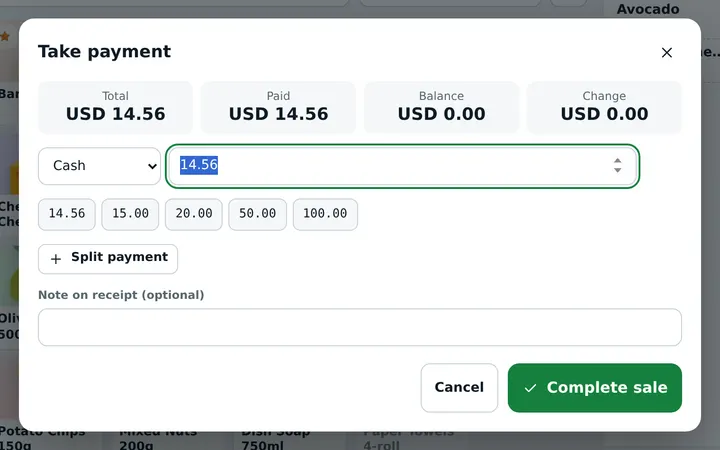
Fast POS counter
Scan barcodes or tap product pictures, split payments (cash, card, mobile wallet, bank transfer, credit), hold carts, print or share receipts on WhatsApp.
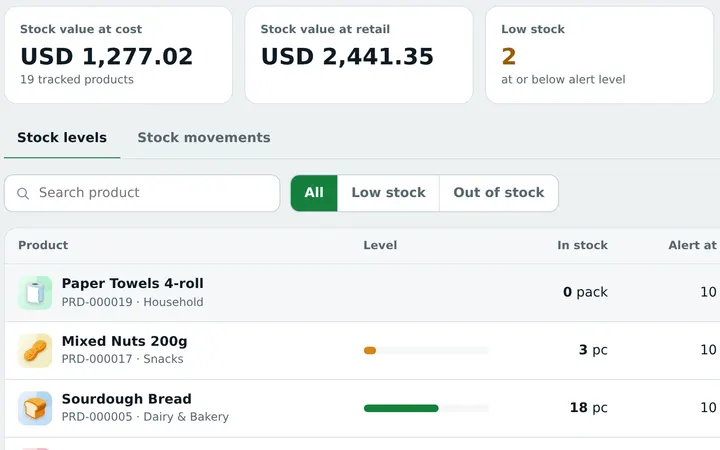
Stock that stays right
Live stock on every sale and purchase, low-stock alerts, stock counts and adjustments with reasons.
Set up for your trade
Choose your business type and get the right screens, product fields and ready product lists — no clutter.
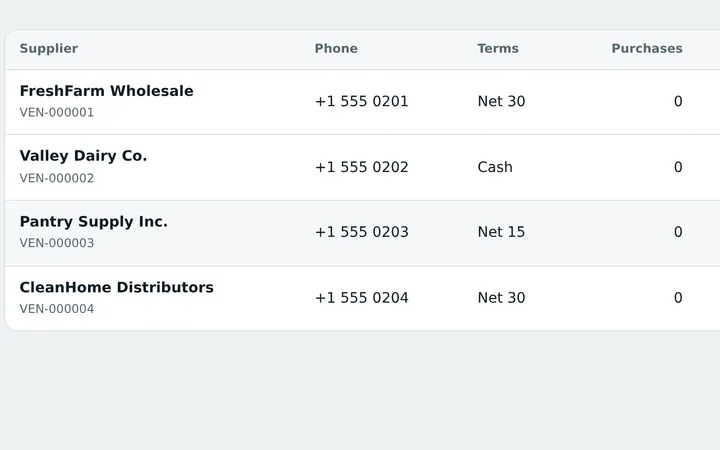
Purchases & suppliers
Receive stock from suppliers, update costs automatically, track what you owe.
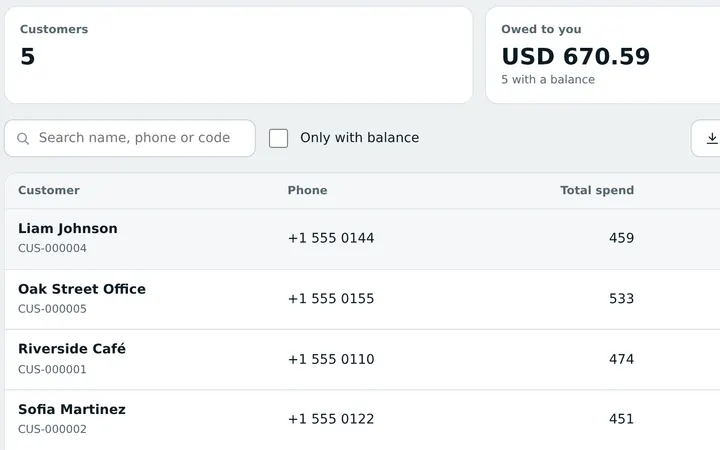
Customers & credit
Customer accounts, credit limits, payments received and balances — no more paper ledgers.
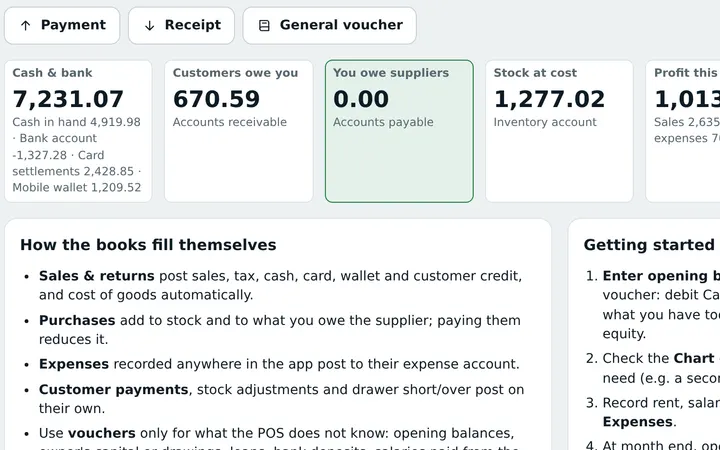
Accounts built in
Vouchers, ledgers, trial balance, income statement and balance sheet — straight from your sales and expenses.
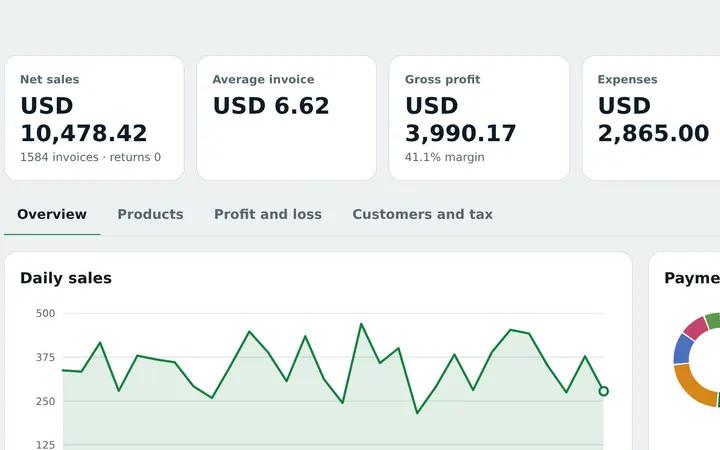
Reports that matter
Daily sales, profit, best sellers, cash shifts, tax and expenses — on screen, PDF or Excel.
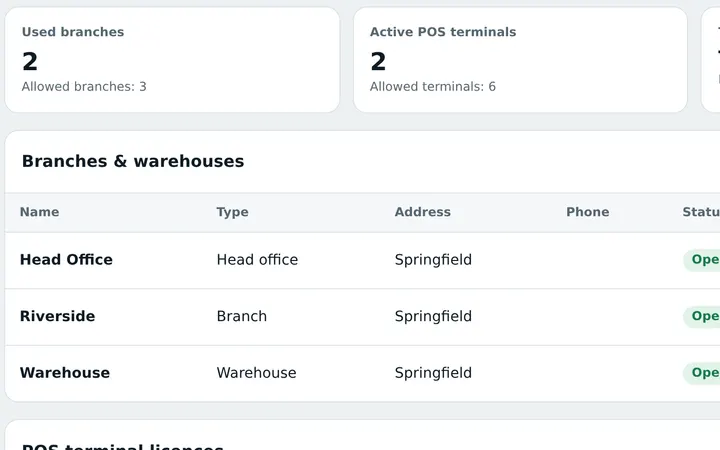
Branches & tills
Several counters and branches, each till licensed and tracked, cash shifts per counter.
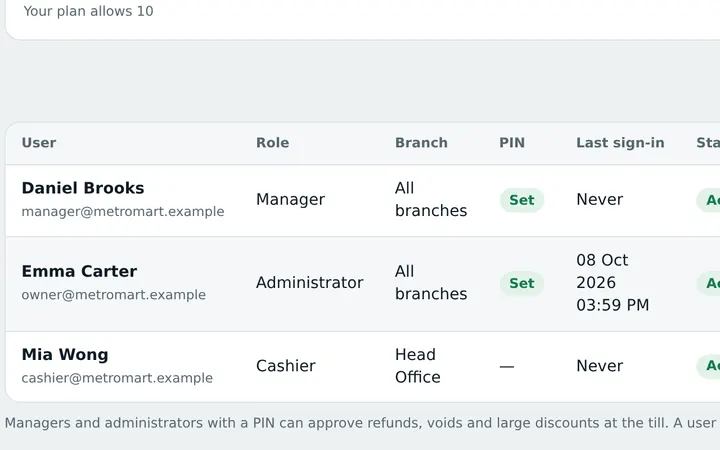
Staff roles & PIN
Owner, manager and cashier roles; manager PIN for discounts, returns and voids. Full activity log.
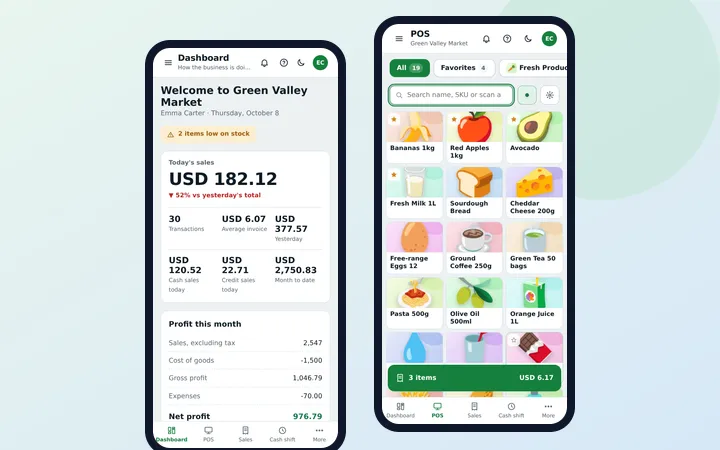
Works on any device
Computer, laptop, tablet or mobile — in the browser, nothing to install.
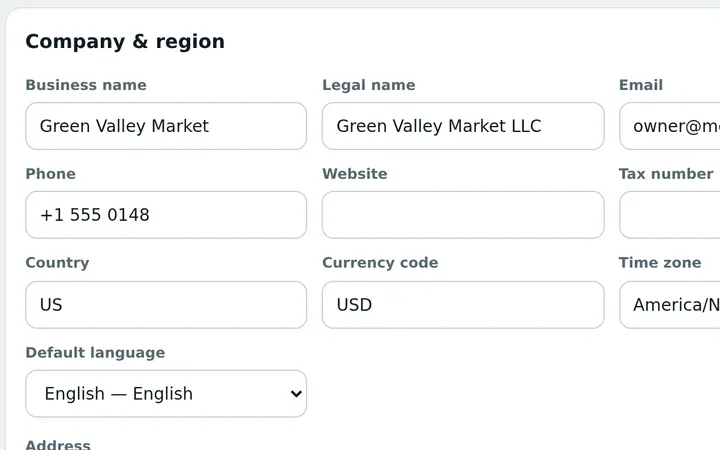
Your currency, your taxes
Pick your country and currency, set your own tax rates and receipt details. Write products in any language.
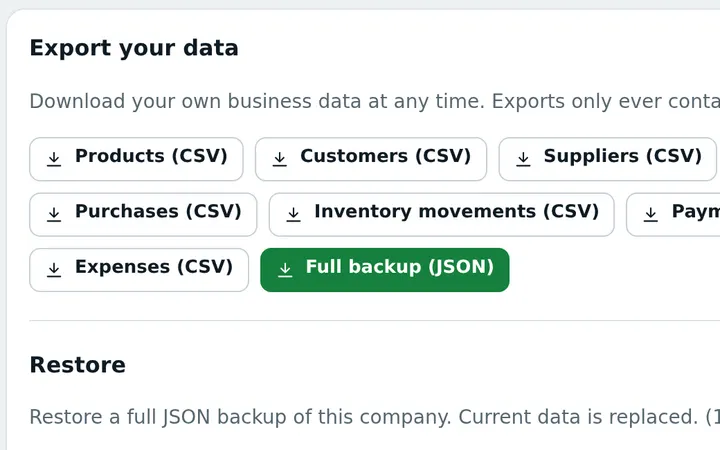
Safe in the cloud
Your data is saved online with automatic backups. Export everything any time.
Take a look inside
Real screens from a shop using the system — nothing to install, it runs in your browser.
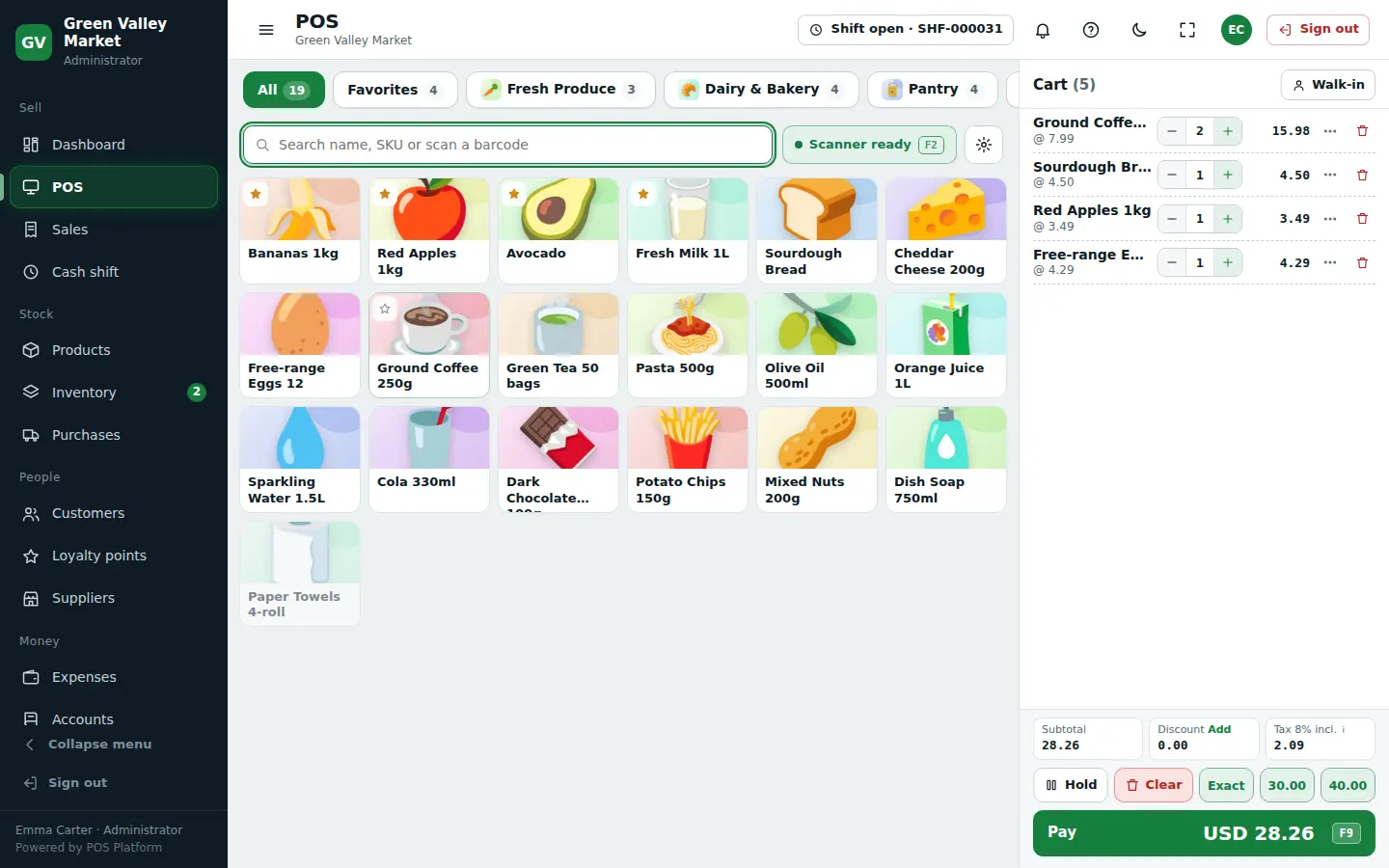
Sell in seconds
- Tap product pictures or scan barcodes
- Split payments: cash, card, wallet or credit
- Hold carts and serve the next customer
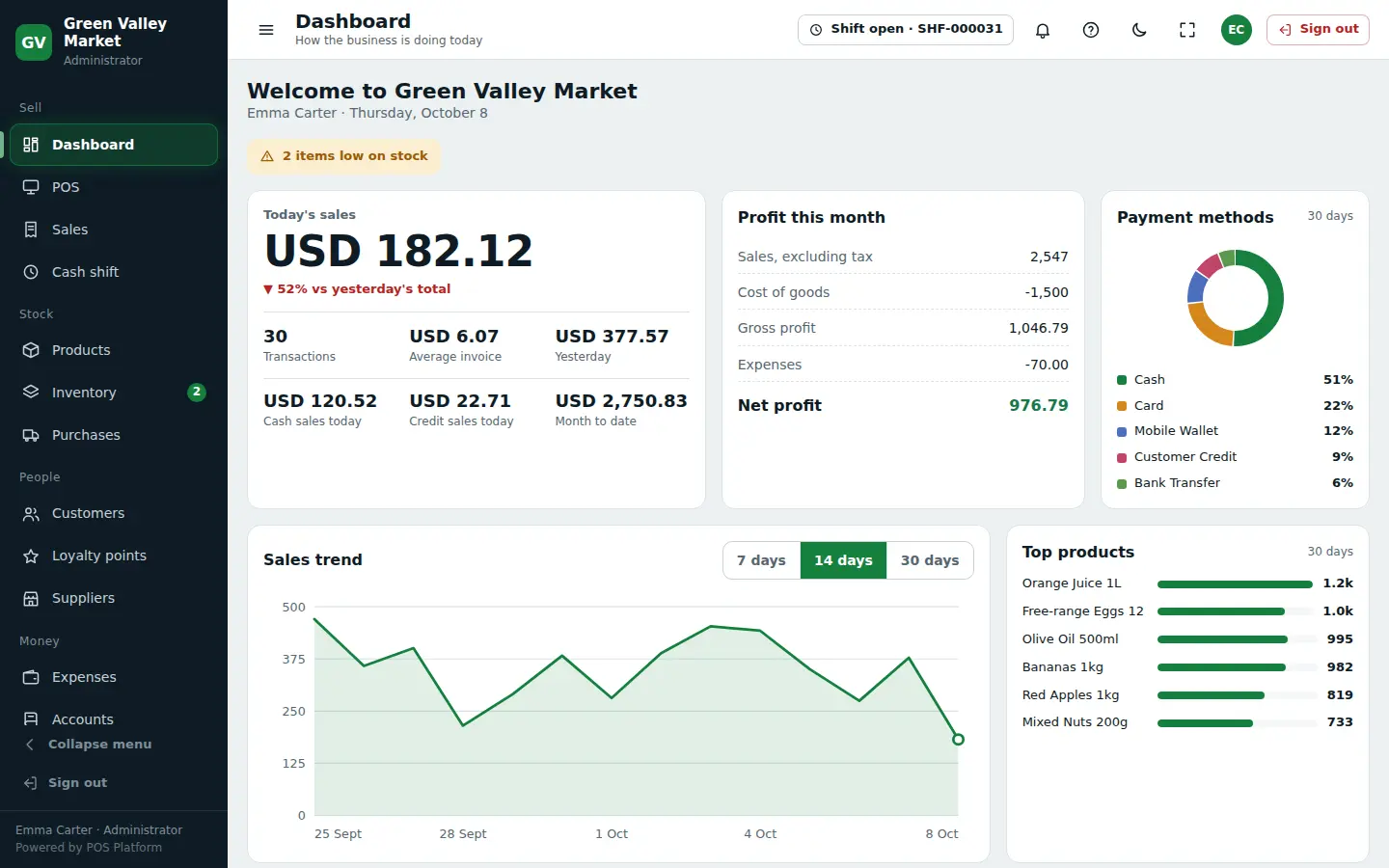
Your day at a glance
- Today’s sales, profit and payment methods
- Sales trend and best sellers
- Low-stock alerts on the first screen
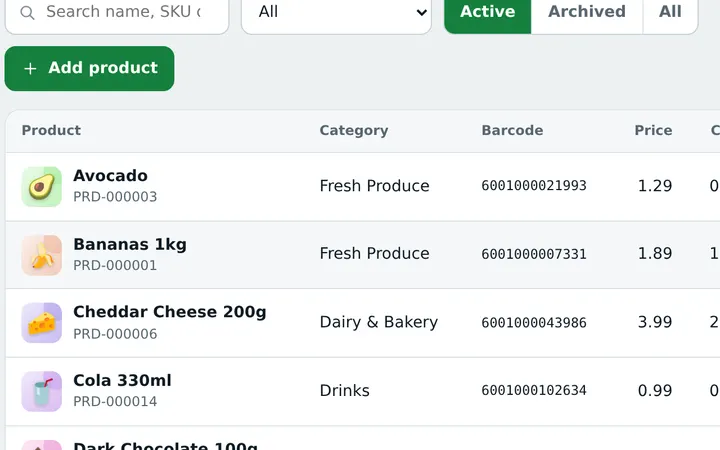
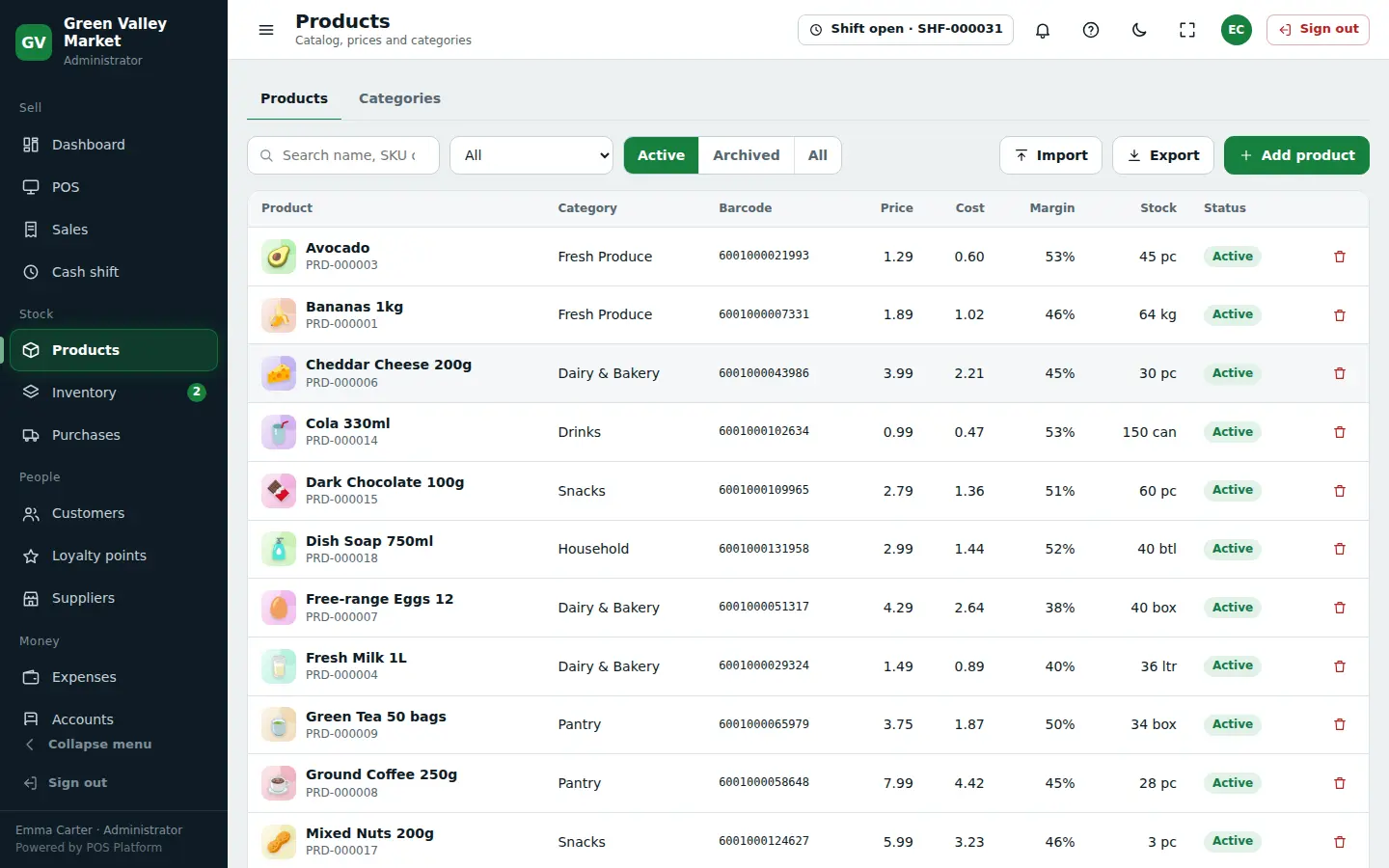
Products with pictures
- Prices, costs and margins side by side
- Barcodes, categories and variants
- Import your list from Excel in one go
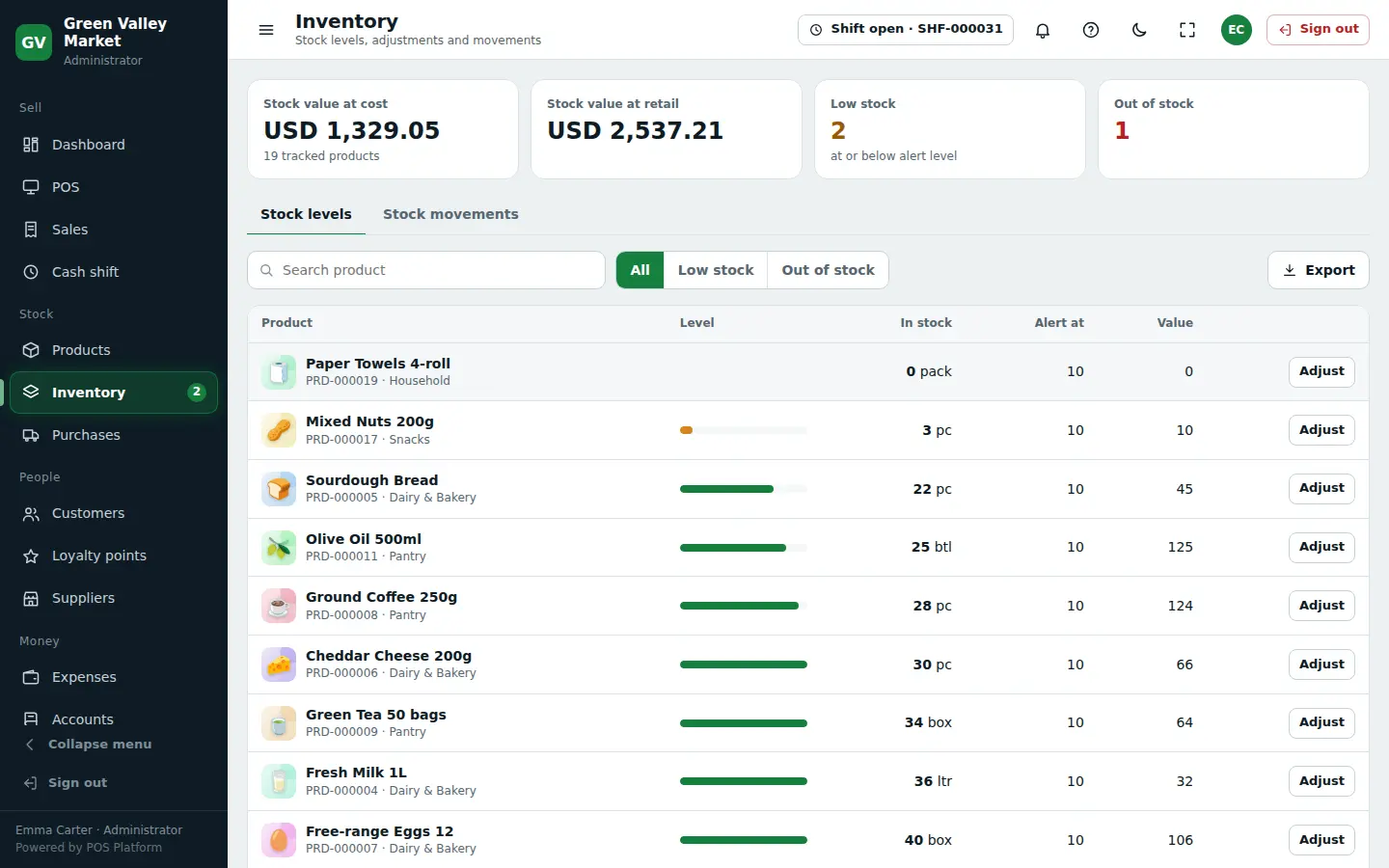
Stock you can trust
- Live stock value at cost and at retail
- Low and out-of-stock lists
- Every movement recorded with a reason
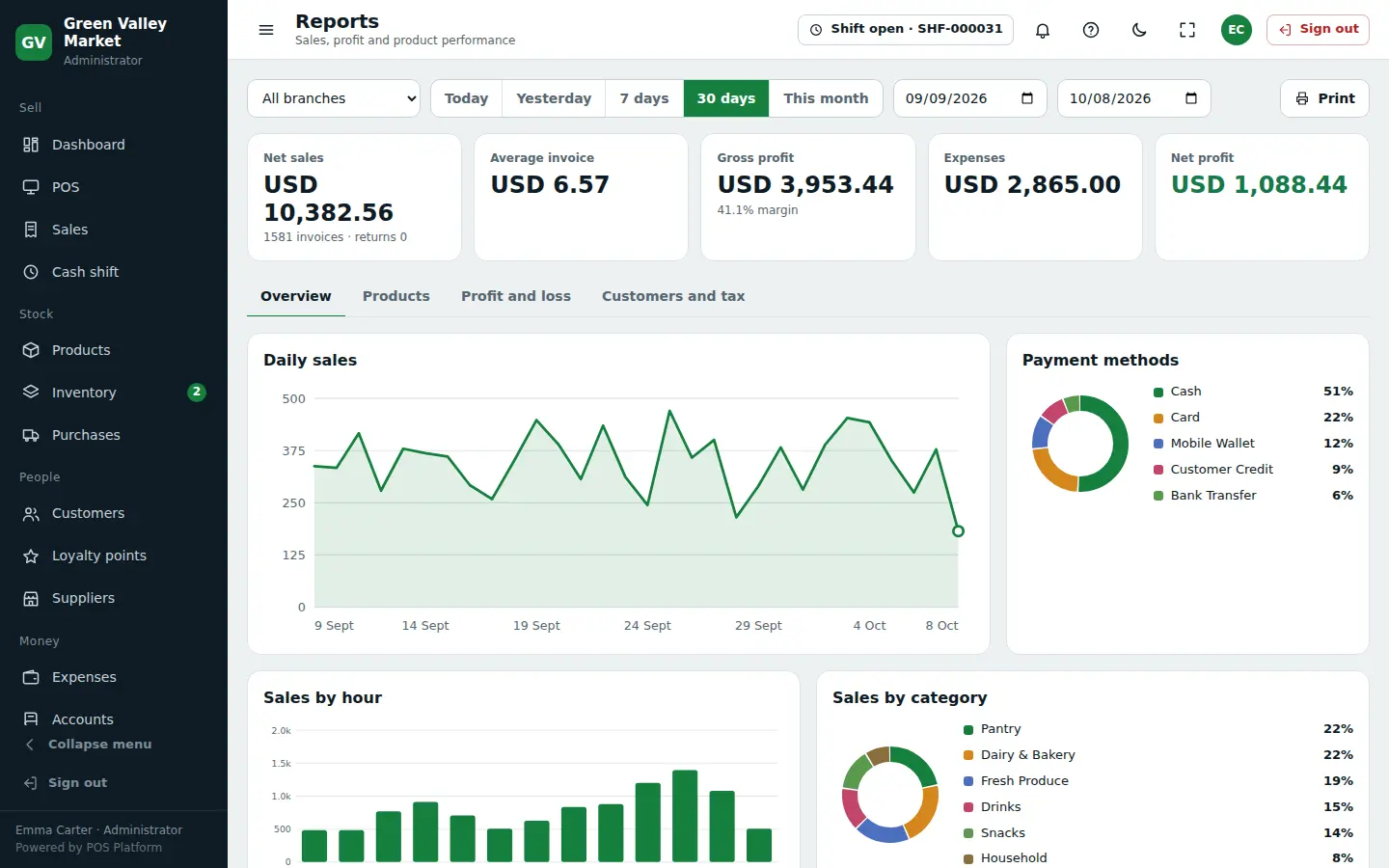
Reports that answer questions
- Profit, expenses and margin for any dates
- Sales by hour, category and payment method
- Print, PDF or Excel
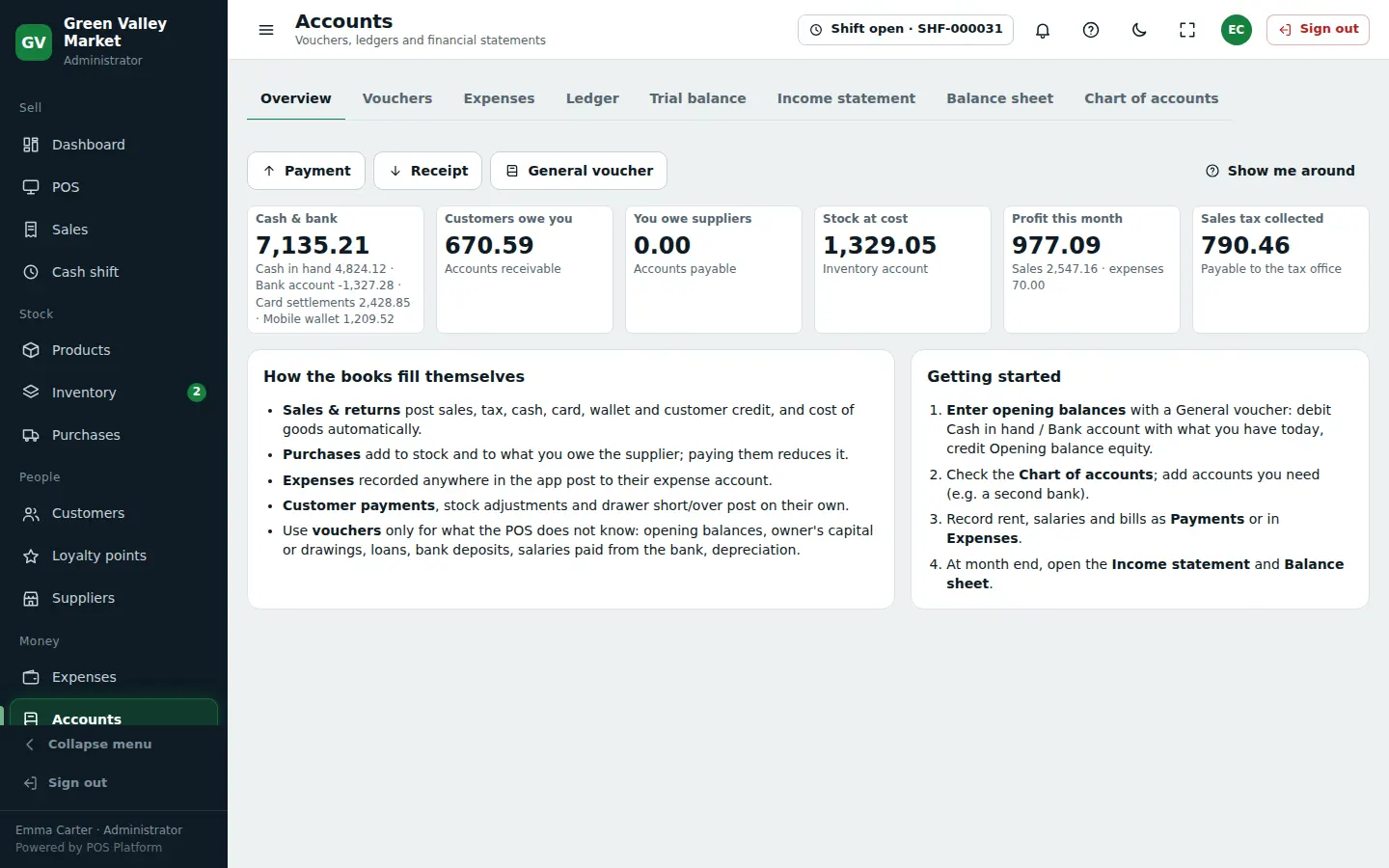
Accounts that fill themselves
- Cash, bank, receivables and payables
- Trial balance, income statement and balance sheet
- Vouchers only for what the POS does not know
Your business, your setup
Pick your business type when you sign up — you get the screens, fields and ready lists made for it.
🇵🇰 Optional for PakistanFBR integrationPOS Integration and Digital Invoicing — FBR invoice number and QR on every receipt↓Grocery & General Store
Grocery stores, convenience stores, supermarkets and marts.
- Fast POS with barcode scanning and receipts
- Stock, purchases and suppliers
- Customer accounts and credit
- Accounts, profit and daily reports
- Loose items by weight (kg)
- Low-stock alerts and reorder list
Pharmacy & Medical Store
Medical stores, chemists and hospital pharmacies.
- Starter list of common medicines to import
- Search by brand or generic (formula) name
- Sell by strip, box, bottle or vial
- Rx-only and controlled-drug warnings
- Fast POS with barcode scanning and receipts
- Stock, purchases and suppliers
Garments & Shoes
Clothing, boutiques, footwear and fabric shops.
- Sizes and colours (variants) with their own stock
- Barcode per size / colour
- Exchange and returns
- Fast POS with barcode scanning and receipts
- Stock, purchases and suppliers
- Customer accounts and credit
Auto Parts
Car and motorcycle spare parts, lubricants and accessories.
- Part number and OEM number on every item
- Fits: make, model and year (e.g. Corolla 2015-2020)
- Replacement / alternate parts offered when out of stock
- Rack and shelf location
- Search by part no., brand or vehicle
- Fast POS with barcode scanning and receipts
Bakery
Bakeries, cake shops and bakers.
- Sell by weight (kg / lb) or by piece
- Shelf life on every item
- Starter list of bakery items
- Fast POS with barcode scanning and receipts
- Stock, purchases and suppliers
- Customer accounts and credit
Sweets & Confectionery
Sweet shops, confectioners, chocolates, dry fruit and snacks.
- Sell by weight (0.25 kg, 0.5 kg, 1 kg…)
- Gift boxes and mixed boxes
- Starter list of sweets and snacks
- Fast POS with barcode scanning and receipts
- Stock, purchases and suppliers
- Customer accounts and credit
Restaurant & Café
Restaurants, cafés, fast food, food courts and tea shops.
- Dine-in, takeaway and delivery orders
- Table setup by area (hall, terrace, private room…)
- Send orders to the kitchen (KOT)
- Kitchen screen: new → preparing → ready
- Running bills per table
- Customer accounts and credit
Mobile & Electronics
Mobile phones, accessories, computers and appliances.
- Brand, model and warranty on items
- IMEI / serial number on the bill
- Colours and storage variants
- Fast POS with barcode scanning and receipts
- Stock, purchases and suppliers
- Customer accounts and credit
Hardware & Paint
Hardware, sanitary, electrical, paint and building material.
- Rack / shelf location
- Loose items by weight or length
- Contractor accounts on credit
- Fast POS with barcode scanning and receipts
- Stock, purchases and suppliers
- Customer accounts and credit
Services
Salons, workshops, repair shops and clinics.
- Sell services and products together
- Customer history
- Customer accounts and credit
- Accounts, profit and daily reports
Multi-Business
More than one kind of business under one account.
- All industry features in one account
- Fast POS with barcode scanning and receipts
- Stock, purchases and suppliers
- Customer accounts and credit
- Accounts, profit and daily reports
FBR integration for businesses in Pakistan
Registered with FBR? Connect RahimTech to FBR and every sale is reported automatically. Not registered, or outside Pakistan? Leave it off — the POS works exactly the same without it.
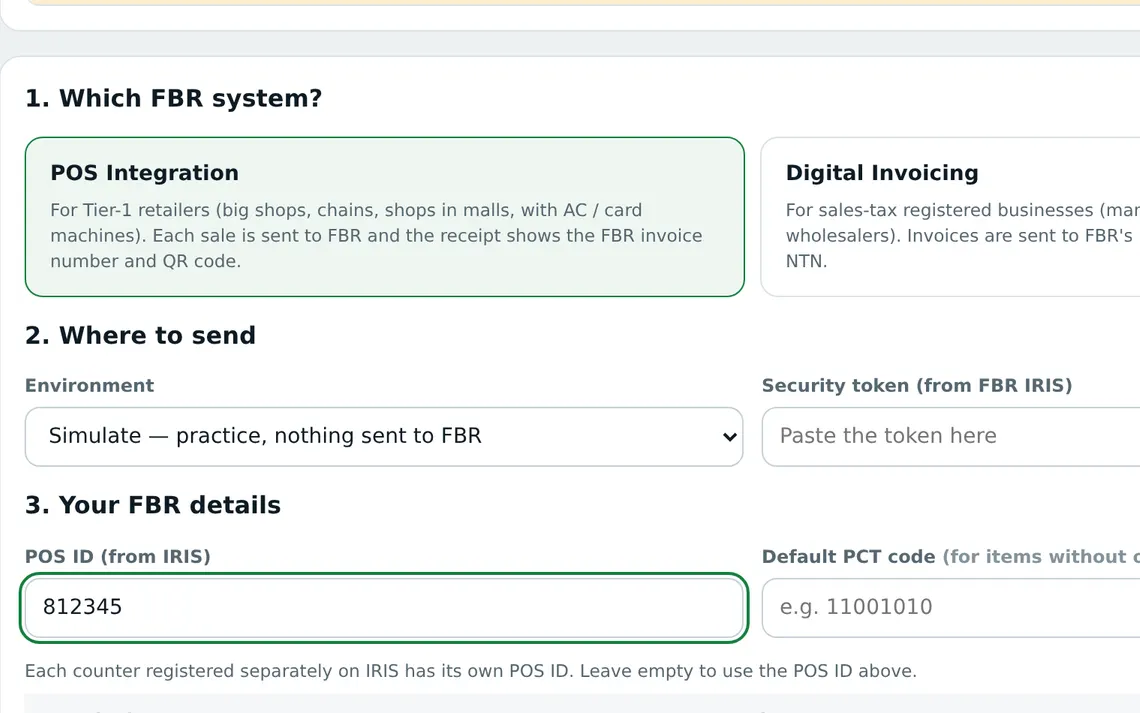
POS Integration
For Tier-1 retailersEvery sale is sent to FBR as it happens. The receipt shows the FBR invoice number and a QR code that customers can verify.
Digital Invoicing
For sales-tax registered businessesInvoices go to FBR Digital Invoicing with your NTN, HS codes and sales tax; the FBR invoice number is saved on each invoice.
- Works with or without FBR — switch it on when you are ready
- No internet? Sales are saved and sent to FBR automatically later
- Returns and voids can be sent as credit notes
- A separate POS ID for each till
- Practice mode and the FBR sandbox to test before going live
How to set it up
- Register with FBRRegister your business and your POS on FBR IRIS and get your POS ID (POS Integration) or security token (Digital Invoicing).
- Add FBR to your planMake sure the FBR module is included in your plan — ask us if it is not.
- Enter your detailsIn the app open FBR, choose POS Integration or Digital Invoicing and enter your NTN, POS ID or token.
- Test, then go liveTry it in practice mode or the FBR sandbox, then switch to Live. Each sale then gets its FBR invoice number.
FBR integration is only for businesses registered with the Federal Board of Revenue of Pakistan. Businesses in other countries do not need it and never see it. Need help with FBR setup? Talk to us →
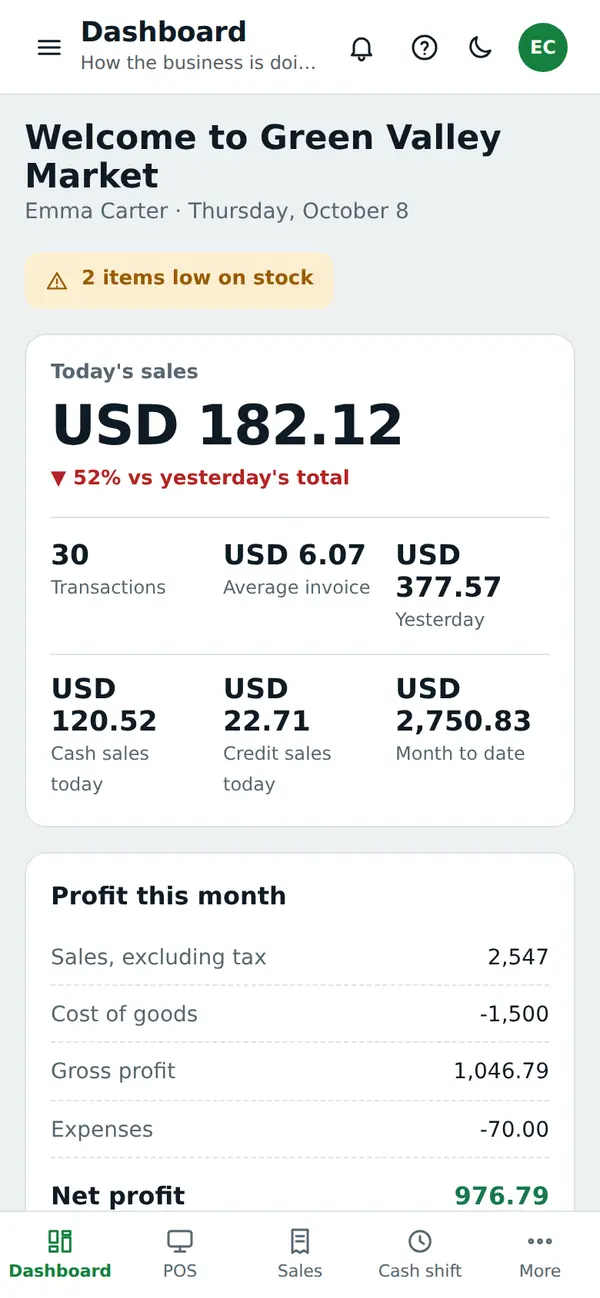
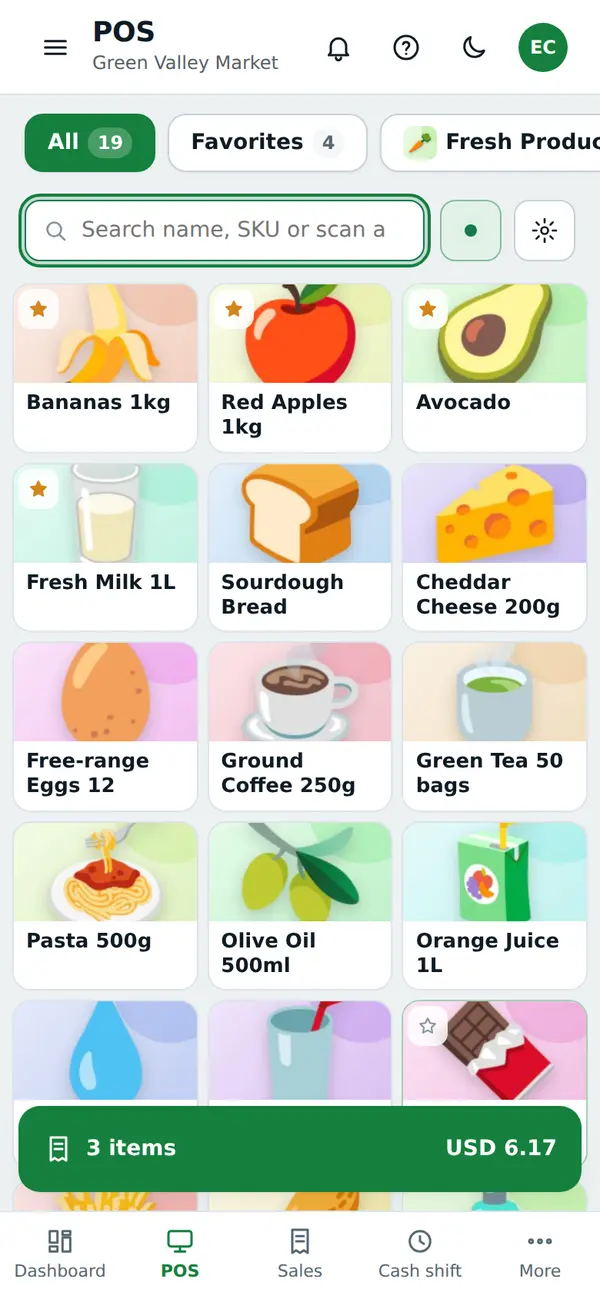
Check your business from anywhere
- See today’s sales and profit on your phone
- Sell from a phone or tablet when the counter is busy
- Everything stays in sync across your tills and branches
Start selling today
- Sign up freeEnter your business name, country and mobile number — your 30-day trial starts at once.
- Add your productsType them, import from Excel, or pick from a ready list.
- Open the tillMake your computer or mobile a counter, open the cash shift and sell.
Simple monthly plans
Every plan starts with a free trial. Prices in $.
Starter
One shop, basic selling, stock and reports
or $ 120 / year
- 3 users · 1 branches · 1 tills
- Accounts
- Advanced Reports
- API Integration
- Appointments
- Campaigns
- CRM
- Custom Domain
- Online Shop (E-commerce)
- Expenses
- FBR Integration
- POS
- Purchases
- Restaurant
- Services
- Full White-Label
- Work Orders
Standard
Growing businesses with a few branches
or $ 400 / year
- 4 users · 2 branches · 4 tills
- Accounts
- Advanced Reports
- API Integration
- Appointments
- Campaigns
- CRM
- Custom Domain
- Online Shop (E-commerce)
- Expenses
- FBR Integration
- Inventory
- Kitchen
- Loyalty
- Multi-Branch
- Pharmacy
- POS
- Purchases
- Restaurant
- Services
- Full White-Label
- Work Orders
Professional
Industry modules, integrations and analytics
or $ 700 / year
- 10 users · 5 branches · 10 tills
- Accounts
- Advanced Reports
- API Integration
- Appointments
- Campaigns
- CRM
- Custom Domain
- Online Shop (E-commerce)
- Expenses
- FBR Integration
- Inventory
- Kitchen
- Loyalty
- Multi-Branch
- Pharmacy
- POS
- Purchases
- Restaurant
- Services
- Full White-Label
- Work Orders
Enterprise
Dedicated branding, custom domain and custom limits
or $ 1,500 / year
- Unlimited users · Unlimited branches · Unlimited tills
- Accounts
- Advanced Reports
- API Integration
- Appointments
- Campaigns
- CRM
- Custom Domain
- Online Shop (E-commerce)
- Expenses
- FBR Integration
- Inventory
- Kitchen
- Loyalty
- Multi-Branch
- Pharmacy
- POS
- Purchases
- Restaurant
- Services
- Full White-Label
- Work Orders
Talk to us
Leave your number and we will call you, show you the system and help you set it up.
Questions business owners ask
Is there a free trial?
Yes. You can use RahimTech free for 30 days. No card is needed — sign up, pick your business type and start selling.
Does it work on mobile?
Yes. It works in the browser on a computer, laptop, tablet or mobile phone. Nothing to install.
Does it work in my country and currency?
Yes. Choose your country when you sign up: prices, receipts and reports use your currency, and you set your own tax rates. Products, receipts and categories can be written in any language.
Which businesses can use it?
Grocery / Retail, Pharmacy, Garments, Auto Parts, Bakery, Sweets, Restaurant, Electronics, Hardware, Services and more. Each business type gets its own fields, screens and ready lists.
Can I sell on credit to customers?
Yes. Sell on credit, take part payments and see each customer’s balance and history.
Where is my data kept?
Your data is saved securely online with automatic backups, so you can open your business from any device and nothing is lost if a computer breaks. You can export everything at any time.